
Quick summary
- Unified communications brings business calling, messaging, video, fax, presence, and collaboration tools into one platform.
- Employees can access the same communication system from the office, home, or a mobile device.
- Features such as call routing, voicemail-to-email, CRM integration, and call reports can improve customer follow-up.
- A connected platform can reduce the number of separate apps employees must check throughout the day.
- Small businesses should choose tools based on their workflow rather than buying every available feature.
We see it time and time again: the communication problems plaguing small businesses aren’t a lack of tools; it’s having too many tools that don’t work together.
More often than not, you experience it when a customer calls the office because there’s a disconnect in the workflow. The voicemail routing goes to one employee. The customer record lives in another program. A coworker sends an update through chat. The follow-up meeting happens in a separate video app.
Every step works on its own, but the entire process feels patched together, and over time information is lost.
Unified communications for small businesses provides a way to bring those conversations into one connected system.
What Is A Unified Communications Phone System?
Well, let’s take it back to the beginning: Unified communications combines several business communication tools through one platform.
Depending on the system, that may include:
- Business voice calls
- Instant messaging and group chat
- Business SMS and MMS
- Video meetings
- Voicemail-to-email
- E-fax
- Mobile and desktop calling
- Employee presence information
- Call routing
- Call recording
- Reporting and analytics
- CRM integration
Many small businesses receive these tools through Unified Communications as a Service, or UCaaS. The entire system is hosted in the cloud and managed by a provider, which reduces the need for businesses to maintain several different on-site platforms.
Rhode Island Telephone’s unified communications solutions connect calling, messaging, video, and other tools through one cloud-based system.
One Business Number VoIP Solution, Wherever Employees Work
Work has changed, and employees aren’t always sitting next to the same phone.
A sales manager may be visiting a customer. An accountant may be working from home. A service employee may be moving between job sites. An owner may be checking in while traveling.
Without much debate, customers shouldn’t need to know where each employee is working.
With a unified communications platform, employees can answer business calls through a desk phone, desktop application, mobile app, or web-based softphone, whichever they decide works best for them. Their business number stays consistent, and they don’t need to give customers a personal cell number.
Furthermore, this helps maintain a more organized customer experience. Calls can still follow the company’s routing rules, and employees can transfer callers to coworkers as though everyone were in the same office.
Fewer Places to Check for Messages
A disconnected communication setup creates small delays all day long. And as these delays add up, more is chipped away from the customer experience.
Employees check desk phone voicemail, email, chat, texts, and video-meeting invitations in separate places. Information gets overlooked because nobody’s sure exactly which channel contains the latest update.
From the get-go, unified communications can reduce that clutter.
Voicemail can be delivered to email. Employees can see whether a coworker is available before transferring a call. Teams can move from a message to a call or video meeting without starting over in another program.
The goal is to make the communication that’s already happening easier to follow and manage.
Better Business Phone Call Handling for Customers
Customers rarely care which communication platform a company uses, and really, why would they? They care whether someone answers, understands the reason for the call, and provides a clear next step.
Unified communications can help improve that process through features such as:
Auto-attendant
An auto-attendant greets callers and directs them to the correct person, extension, or department.
Call queues
Call queues hold calls and route them based on your preferred rules. Businesses can use options such as ring-all, round-robin, or linear routing.
Answering rules
Employees can decide where calls go when they’re busy, unavailable, working remotely, or outside normal business hours.
Voicemail-to-email
A voicemail can be delivered to an employee’s inbox, making it easier to review, save, and return. You might not be able to take a call, but sending an update through email can take care of the client without them having to wait unnecessarily.
Call reports
Managers can review call volume, missed calls, wait times, and other activity. That information can help identify staffing gaps or periods when callers need more support.
These tools don’t replace good customer service. But using them can help train employees to provide more consistent service.
Connect Calls With Customer Information
Unified communications becomes even more useful when it connects with the software your team already uses to track customer interactions.
With CRM phone integration, customer information can appear when a call comes in. Employees can open the contact record, review previous activity, add notes, place calls from the CRM, and automatically log the interaction.
This can help reduce a few common problems:
- Customers repeating information
- Employees searching for records while the caller waits
- Calls not being logged
- Follow-up tasks getting forgotten
- Different departments working from incomplete information
Rhode Island Telephone supports CRM integrations with platforms used by sales teams, legal practices, medical offices, staffing companies, service businesses, and other organizations.
By no means does the integration replace the CRM; it can’t. It simply connects the phone system to the customer information already stored there.
Check out how a CRM integration helps the overall customer experience: Still Answering Calls Blind? CRM Phone Integration Changes Everything
Give New England Customers More Than One Way to Reach You
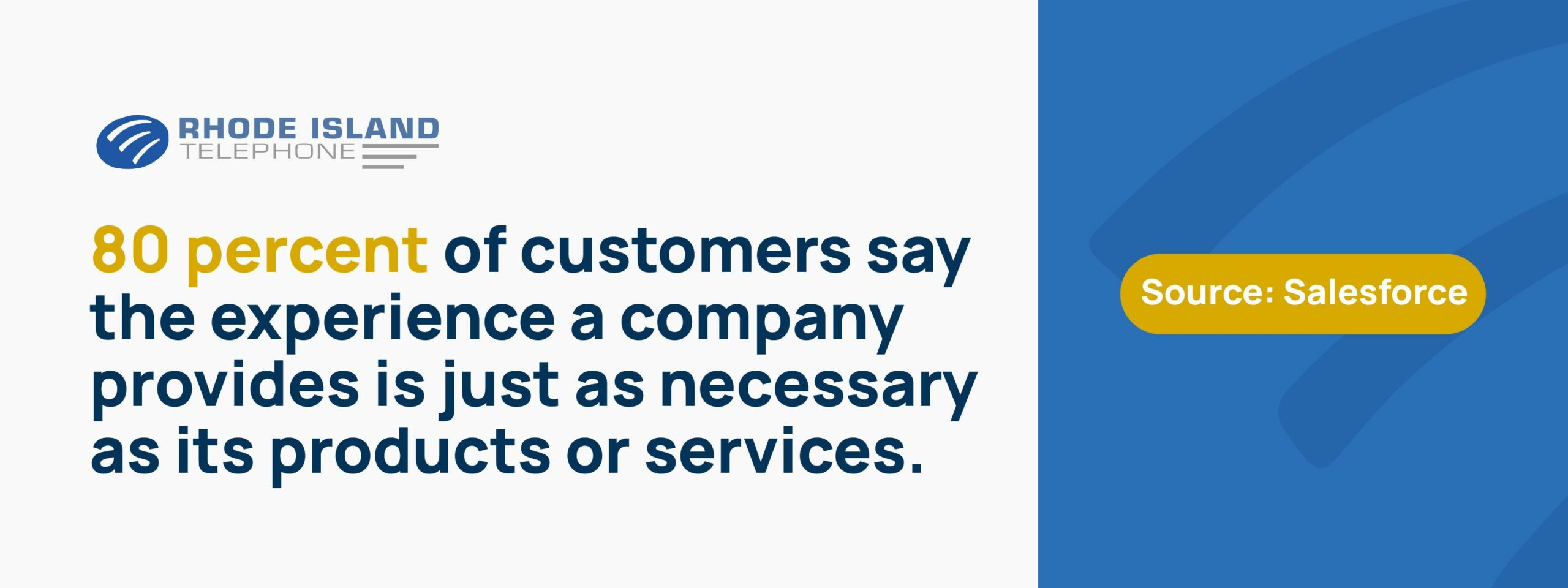
Some customers would rather text than call, especially when they need a quick answer, appointment update, or confirmation. A report from Salesforce found that 80 percent of customers say the experience a company provides is just as necessary as its products or services.
Business texting is one of those channels that will affect the customer experience. It allows employees to send and receive messages using a business number instead of a personal cell number.
That can help businesses handle:
- Appointment reminders
- Schedule changes
- Service updates
- Basic customer questions
- Follow-up messages
- Photos or other supported media
- Conversations that do not require a phone call
Texting shouldn’t replace every conversation. But it gives customers another practical way to communicate while helping the company keep those conversations connected to the business.
Support Employees Across Locations
Unified communications is seen as a tool for businesses that embrace the fully remote model. That may have been where it started, but really any business that wants more flexibility should be considering a UCaaS solution.
It helps businesses with:
- Multiple offices
- Employees who travel
- A mix of office and field staff
- Seasonal or part-time workers
- Shared departments
- Managers responsible for several locations
A Massachusetts office and a Rhode Island office can use the same call routing plan. A Connecticut employee can contact a coworker by extension. A remote employee can answer the main business line through an app. All without a customer needing to know the intricacies of your phone system.
Instead of managing each location as a separate phone system, the business can use one connected platform.
Start With the Workflow, Not the Feature List
To be fair, Unified communications platforms usually include a long list of capabilities. But a small business doesn’t need to activate every feature on day one.
Start by looking at the communication problems employees and customers already face:
- Where are calls being missed?
- Which messages are hard to track?
- Do remote employees use personal numbers?
- Are customers repeating information?
- Is the team paying for overlapping tools?
- Can managers see what happens during busy calling periods?
- How difficult is it to add a user or change call routing?
Those answers can help determine which features matter now, which ones can wait, or whether you can leave them turned off altogether. The versatility of UCaaS is one of its greatest advantages.
Local Support Still Matters in the Cloud
Moving communication tools to the cloud doesn’t mean support should become distant.
A provider still needs to configure call routing, transfer existing numbers, connect phones and applications, train employees, and help when something changes.
Rhode Island Telephone is based in Warwick and serves small and midsize businesses throughout Rhode Island, Massachusetts, and Connecticut.
Our Cloudworx platform provides cloud calling and unified communications features, while the RIT team still handles consultation, installation, training, and ongoing support. That local help can be especially useful for a small business without a full internal IT department.
Bring the Conversation Together
With unified communications, the idea isn’t to turn a small business into a call center or force employees to change every part of their workday.
When it’s done right, it removes extra steps.
The beauty is that calls, messages, video meetings, voicemail, customer records, and mobile access can work through one connected system. Employees gain more flexibility. Managers gain better visibility. And customers have a clearer path to the person who can help.
For businesses across Rhode Island, Massachusetts, and Connecticut, that’s the real value of unified communications: fewer disconnected tools and a simpler way to stay in touch.
Learn more about unified communications from Rhode Island Telephone.