Table of Contents
If you’re running a business anywhere from Fall River to Fairhaven, you already know: your internet isn’t just internet.
It’s the power behind your phone system, your customer service line, your payment processor, your Zoom room, your whole operation.
That’s why choosing the right business internet provider in South Coast, MA is so important. Because when all of this is riding on a single internet connection, it better be one that’s business-grade.
Worried you won’t pick the right provider? That’s what this guide is for.
We’ll unpack what business-grade internet actually is, what to look for in a provider, and how to make sure your connection holds up when it counts.
Let’s get started.
What “Business-Grade Internet” Really Means

Let’s clear something up: “Business internet” isn’t just a beefed-up version of home Wi‑Fi with a fancier name. It’s a different category altogether.
Residential internet is built for Netflix, email, and maybe a smart fridge.
Business-grade internet is built for money-making operations.
There’s a reason you don’t see dental offices, machine shops, or accounting firms running their operations on a plan built for Saturday night streaming.
Here’s the difference in plain terms:
Business-grade internet is designed for actual business.
It comes with:
- Uptime guarantees (a.k.a. SLAs) that spell out what happens when service goes down
- More consistent performance during peak hours, even when the rest of the block is bogged down
- Upload speeds that hold up, not just download speeds that look pretty in ads
- Priority support paths, so you’re not stuck on hold when your phones are down
- Options like static IPs, needed for VPNs, remote access, and certain security setups
- Help configuring the network, not just “here’s your modem, good luck.”
- Backup internet options in the wings (like 4G), for if you’d like virtual suspenders alongside your virtual belt
In short, it’s built for cloud apps, file transfers, phone systems, and remote access. Not just browsing and streaming.
Residential internet? Totally different game.
It usually comes with:
- “Best effort” performance, which means no guarantees
- No real support timeline (and forget about escalation if it’s urgent)
- Shared bandwidth that slows down when your neighbors hop online
- Download-heavy design, which is great for bingeing TV, but not for hosting Zoom meetings or running a VoIP phone system
If your business relies on cloud tools, video meetings, VoIP, or anything that needs to “just work,” residential internet’s not going to cut it.
Thinking that business internet plans are “for the enterprises?” Think again. Check out our blog on why now is the time for SMBs to upgrade their day-to-day internet experience.
What the Best Internet Provider Should Bring to the Table

Once it’s clear residential internet isn’t built for a working office, the next step is simple: focus on what actually keeps the business running (not the biggest speed number on a postcard).
The best business internet provider in South Coast, MA can deliver three things: speed that holds up during the workday, uptime that keeps everything online, and support that responds as it matters.
Let’s break it down.
1) Speed: Picking the Right Kind of “Fast”
Speed is what everyone asks about first. Fair. It’s the easiest thing to compare.
It’s also the easiest thing to misunderstand.
In a real office, speed is not one big number. Performance depends on download and upload speeds and on whether those speeds remain consistent during the busiest parts of the day.
Download vs. Upload Internet Speeds:
- Download speed is how fast you can get stuff from the internet. Loading websites, pulling down files, running cloud apps, all that.
- Upload speed is how fast you can send stuff out. That includes file sharing, backups, video meetings, and voice calls.
If either of these pieces are weak, the whole connection feels slow, even if the plan looks impressive on paper.
How Much Speed Does a South Coast Office Really Need?
Here’s a ballpark cheat sheet:
- Small office (5 to 10 people) using cloud tools and email: 100 Mbps down is a decent starting point if the upload speed is solid.
- Busy office (10 to 30 people): Somewhere in the 200–500 Mbps range, especially if people are sharing files, jumping on video calls, or using multiple cloud-based systems.
- Heavy upload work, lots of calling, multi-location operations: It might be time to price out fiber or dedicated service, especially since downtime can lead to thousands (or millions) of dollars in lost revenue.
The goal is not to overbuy. The goal is to avoid a plan that collapses when the day gets busy.
How to Tell if It’s “Fast Enough”
Don’t just run one speed test in the morning and call it a day. That’s like judging I-195 traffic based on a Sunday drive. Instead:
- Run tests multiple times a day (morning, midday, late afternoon).
- Check upload speed, not just download.
- Look at consistency. If it’s fast in the morning but drops off when everyone’s online, that’s a red flag.
If performance drops off hard at peak times, it’s not “a fluke.” It’s the plan telling the truth.

2) Uptime: Where Business Internet Proves Itself
Speed gets the spotlight, but uptime is what actually keeps the lights on. Literally. Uptime is the amount of time your internet (or any service) is working and available, without any unexpected outages.
With great uptime, your internet connection stays up and running when your team and your customers need it most.
What Those Uptime Numbers Actually Mean
Uptime is often sold as a percentage (99%, 99.9%, maybe even 99.99% if the internet provider’s feeling spicy). You may think, “What’s the difference, it’s all basically 99%.” And that’s where you’d be wrong.
Here’s why:
- 99% uptime means you risk up to 3 days 15 hours of downtime per year
- 99.9% uptime means you risk up to 8 hours 45 minutes of downtime per year
- 99.99% uptime mens you risk less than 1 hour of downtime per year
Want to know the difference between 99.9% and 99.99% uptime? A tenth of a percent of uptime is the difference between 8+ hours of downtime a year. . .and under an hour. That’s not a small gap when the internet goes out on payroll day.
Uptime Isn’t Just a Number, Though. . .
Even if your connection is technically “up,” it can still underperform if the network quality is shaky.
Two key metrics, latency (delay) and packet loss (missing data), have a huge impact on how usable your internet really is, especially for voice, video, and cloud services.
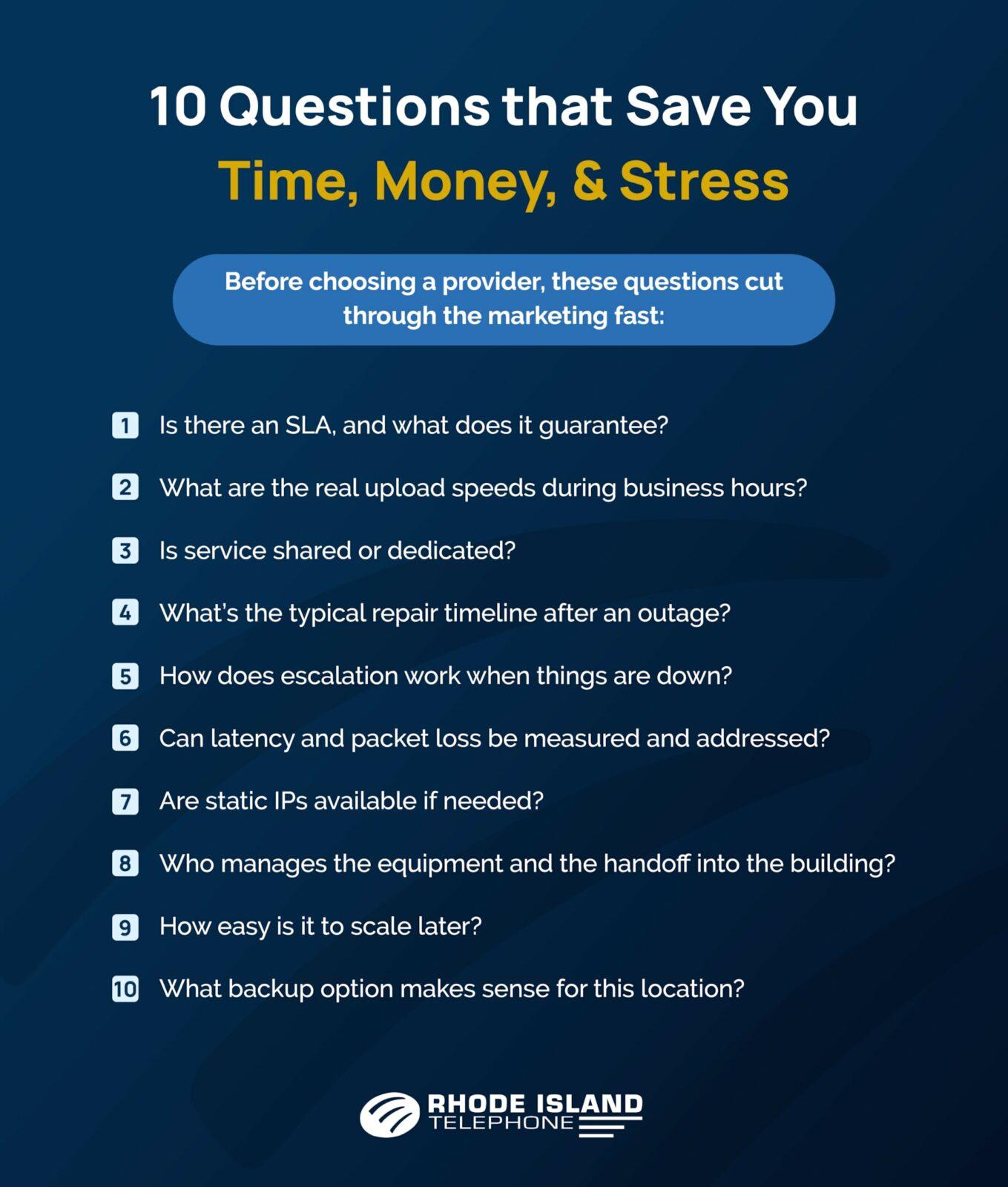
Questions that reveal the truth about uptime
Here’s what to ask before signing a contract:
- Is there an SLA? What exactly does it guarantee, and what happens if it’s not met?
- What’s the MTTR? (That’s “mean time to repair,” a.k.a. how long it usually takes to fix an outage.)
- Is the connection shared or dedicated? Shared lines can get bogged down when your neighbors get busy.
- Is backup available? One line means one point of failure. Redundancy matters more than people think.
- Can latency and packet loss be measured and addressed? A good provider monitors for both and knows how to fix them, not just shrug and say “try rebooting.”
Bonus Tip for South Coast People: if you’re working out of one of those beautiful old mills in New Bedford or Fall River, keep in mind that gorgeous architecture doesn’t always play nice with clean wiring paths. A good provider like Rhode Island Telephone will factor in the building layout, not just the street address.
3) Support: The Difference Between “Helpful” and “Chatbot Roulette”
Even strong networks hit bumps. Poles get clipped, utility work happens, nor’easters show up and choose violence.
The question is not whether issues ever happen. The question is how fast and how cleanly they get resolved by a business internet provider South Coast MA offers. Good business internet support looks like:
- Clear response expectations and escalation paths
- Faster handling of outages
- Troubleshooting that does not restart from zero every call
- People who understand that “internet down” is a business-stopper, not a casual ticket
A business connectivity provider MA businesses stick with is typically the one that treats downtime like the emergency it is.
The 4 Business Internet Connection Types You’ll Probably See
If you’re weighing your options for business internet on the South Coast, you’re likely looking at a few common types: fiber, cable, dedicated service, and wireless backup.
Each has its perks (and its quirks), so here’s a quick breakdown to help make the choice easier.
Connection Type | Best For | Why It’s Great | What to Watch Out For |
Fiber | Cloud-heavy offices, VoIP, video meetings, file sharing, growing teams | Most consistent performance overall, strong upload, handles busy hours better, no data caps, usually the smoothest experience day-to-day | Not available everywhere yet, install timelines can vary (especially in older buildings) |
Cable | General office use, cost-conscious upgrades, quick installs | Widely available, often solid speeds, easy to get up and running | Performance can dip at peak times since it’s typically shared in an area |
Dedicated Internet (DIA) | “Cannot go down” environments, high call volume, critical apps | Predictable performance, dedicated bandwidth, often backed by an SLA | Higher cost, longer provisioning than cable in some cases |
Wireless or cellular backup | Backup connectivity, temporary sites, “we need a safety net” | Fast to deploy, keeps the lights on when the main line goes down | Depends on signal and site conditions, usually not ideal as a primary connection |
For a deeper dive into the cable vs. fiber optic internet debate, check out our blog on the subject.
If your business can get fiber, it’s usually your best bet because it’s fast, steady, and built for growth. If not, cable often does the job just fine for most day-to-day work, especially with a backup.
DIA is perfect if downtime is a dealbreaker. And wireless backup from a business internet provider South Coast MA can count on? It’s affordable insurance and always a good call.

How Your Internet Plans Impact Your Business Technology
If you’re shopping for business internet in South Coast MA, you’re probably using cloud-based tools (especially VoIP or SIP trunking).
Your phone calls, cloud apps, video meetings, and backups all share the same internet pipe. If that pipe isn’t strong and stable, your business suffers.
A shaky connection can lead to:
- Choppy calls or dropped audio
- Missed inbound calls or failed routing
- Lag on cloud-based tools
- Poor performance during video meetings
That’s why many South Coast businesses bundle their internet and voice through a business connectivity provider in MA that specializes in both, like (you guessed it) us.
Why Local Businesses Choose Rhode Island Telephone
At Rhode Island Telephone, we’ve been supporting businesses from Fall River to Westport and over the bridge into Tiverton and Barrington for decades. We’re not just a business internet provider in South Coast MA. We’ll review your site and phone bill so we can make recommendations on your specific telecom needs and try to find a better option for payment reduction.
As a Verizon partner, it’s not about what we get, it’s making sure that you get the best they have to offer. We’re your neighbor, your installer, your last-minute savior when the other guy flakes.
Here’s what makes us different:
- Business-grade connectivity designed for cloud, VoIP, and UC tools
- Customized speeds and network designs based on your real needs
- Local support that actually shows up when you need it
Plus, because we’re not some mega-corporation, you don’t have to climb a phone tree to get help. You just call us. Simple as that.
Ready for business internet that actually works? Request a quote today and let’s build a better connection for your business.