Quick summary:
- VoIP = phone calls over the internet, so your team can answer calls from the office, home, or out in the community.
- The best setups make it easy to route donor, volunteer, and program calls to the right person fast.
- Costs are structured as monthly per user/line, which can be easier to budget than with old-school phone systems.
- Don’t pick a provider based on price alone. Reliability + support will matter the first time your internet hiccups at 9:02 a.m.
- Ask how they handle 911/E911 and location info, especially if staff work remotely.
There’s always a push/pull when it comes to nonprofits and beefing up your technology. You have to balance wants and needs, then plan for it; there’s little to no spontaneous spending. And for good reason.
Nonprofits run on tight budgets, lean teams, and big hearts. And because you’re doing multiple jobs, being stretched between donors, volunteers, program staff, and the public, your phones can’t be the weak link of the operation. Yet plenty of nonprofits are still stuck with outdated phone systems: lines tied to a building/location, voicemail boxes no one checks, and call transfers that feel clunky and impersonal.
That’s where VoIP for nonprofits comes into the picture.
This guide will explain how VoIP works specifically in a nonprofit environment, what features matter most, what it typically costs, and how to choose a provider you won’t regret.
What is VoIP, and why do nonprofit organizations prefer it?
VoIP stands for Voice over Internet Protocol. It’s the official name of a standard explaining how most business technology runs. When you break it down even more, it means your phone calls travel over your internet connection instead of old phone lines.
In practice, it means:
- Your main number can ring desk phones, cell phones, and laptops
- Calls can be routed by time of day or department
- Voicemail can show up in email
- Remote staff can still look and sound like they’re calling from the office
For nonprofits, the big win is flexibility. If your executive director is in a meeting, your volunteer coordinator is at an event, and your office manager is working from home, VoIP can still get calls to the right place without anyone giving out personal numbers. Everyone is reachable, wherever they are.
How VoIP works in a nonprofit environment
It’s a Thursday morning at a small, local nonprofit. A donor calls in to get more information about a recurring gift. At the same time, a parent calls about program hours and various other questions about the after-school activities. On yet another line, two new volunteers are calling because they’re lost (classic because we’ve all been there).
With VoIP, you can set up call routing like this:
- “Press 1 for donations”
- “Press 2 for programs”
- “Press 3 for volunteer support.”
Then each option rings the right person (or group), wherever they are.
And if nobody answers?
- It can go to a shared voicemail box,
- Or send a voicemail-to-email message to the whole team,
- Or route to an answering service after hours.
That’s why nonprofit phone systems are less about the latest and greatest features and more about hand-picking what will work best to make sure everybody gets the help they need fast.
Key features nonprofits should prioritize in a phone system
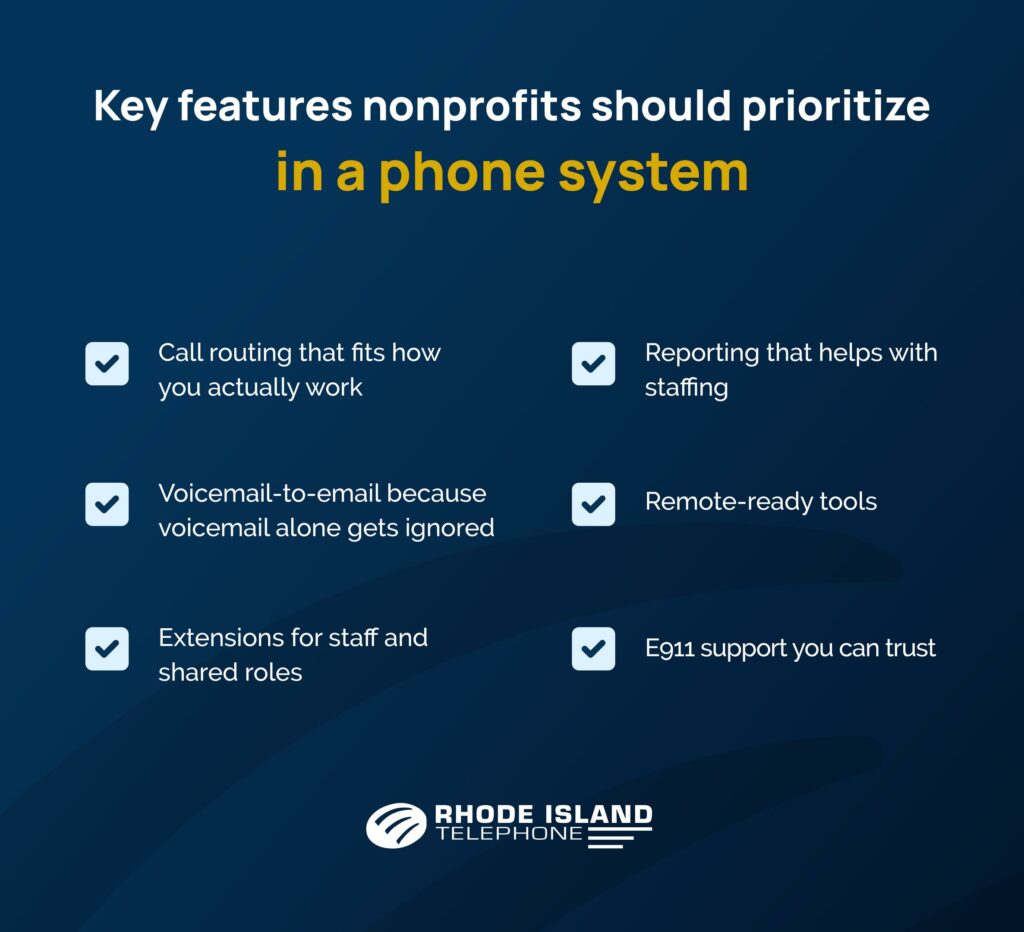
Here’s the short list I’d look at first if I were in your seat.
Call routing that fits how you actually work
You don’t need a complicated maze. You need calls to reach the right human. Look for:
- Auto attendant (“press 1 for. . .”) that’s easy to update
- Ring groups so calls hit multiple people who can directly help
- Simple call forwarding to mobile devices
Voicemail-to-email because voicemail alone gets ignored
When voicemail lands in an inbox, it gets handled faster. People are always on the move, and more often than not, reading the text of a voicemail can get the ball moving faster towards a resolution.
Also helpful:
- Shared voicemail boxes, so it’s not trapped with one person
- Message notifications
Extensions for staff and shared roles
Nonprofits often have:
- Staff extensions
- Department extensions like “Development”
- Shared roles: front desk, hotline, and intake
Make sure the system you choose supports that. Like any other basic feature, ditching those options that have invisible fees is so much easier with VoIP.
Reporting that helps with staffing
Having the data needed to make even the most basic of decisions is such a weight off your shoulders. You can forget about relying on a gut feeling and point to hard evidence to shape your next staffing decision. Use system reports to answer questions like:
- Are we missing calls during lunch?
- Do we need a backup person on Fridays?
- Are donors waiting too long?
Remote-ready tools
Hybrid and remote work isn’t just a corporate thing. Often, nonprofits need it more and constantly utilize its mobile advantages for events, mobile outreach, home visits, and off-site meetings.
A cloud phone system for nonprofits should make remote answering simple, not an overly complicated project. At Rhode Island Telephone, we position our flagship cloud system, Cloudworx, around the idea of a “works anywhere” phone service, with training available so teams are comfortable using it.
E911 support you can trust
This part matters more than people think.
With VoIP, staff might place a 911 call from a desk phone or from an app while working remotely. Providers of interconnected VoIP have E911 obligations, and location handling can get tricky if the user’s location isn’t up to date.
Typical costs: What is affordable VoIP for nonprofits?
VoIP pricing is more predictable than legacy phone systems, but you still want to know what you’re paying for. Here’s a practical breakdown.
Common VoIP cost components
Cost item | What it is | What to watch for |
Monthly service (per user/line) | Your core calling plan | Are features included or add-ons? |
Phones/headsets | Desk phones or USB headsets | Can you use what you already have? |
Installation/setup | Getting everything configured | Is training included? |
Internet/network upgrades | Ensuring stable call quality | Do they help assess this upfront? |
Support | Help when things go sideways | Live support vs. ticket-only |
A lot of nonprofits get stuck because they only compare per-user price and ignore setup/support. Then, six weeks later, someone’s trying to fix call routing using a YouTube video. Not ideal.
If you want a provider that acts like a partner, look for companies that emphasize consult → install → support. Rhode Island Telephone’s approach is built around supporting customers end-to-end, not focused solely on selling licenses.
Related content: Local vs. National VoIP Provider in Southeastern Massachusetts: Which Is Better for Your Business?
What to look for in a VoIP provider so you don’t get burned

Reliability: What happens when the internet is cranky?
Every VoIP provider will say they’re reliable; that’s not shocking, but it’s not always true. Your job is to ask the questions that make that real.
Ask:
- Do you offer call forwarding failover if the office internet goes down?
- Can calls ring cell phones automatically during outages?
- What’s your uptime track record?
Support: Will you get a real person?
Nonprofits can’t wait three business days for a ticket response, especially if phones are tied to intake, scheduling, or community help.
Look for:
- Real support access (phone support matters here)
- Clear escalation path
- Training so staff can handle basic changes
Rhode Island Telephone has a wealth of training resources for Cloudworx, which help teams actually adopt the system.
Cost structure: is it clear, or a scavenger hunt?
You want to see:
- What’s included in the base plan
- What costs extra (international calls, call recording, extra numbers, etc.)
- Setup fees (if any)
- Contract length and exit terms
If it feels confusing during the sales process, it won’t feel clearer later.
A simple scorecard: how to evaluate a nonprofit organization’s phone system
Category | What “good” looks like | Your notes |
Call handling | Easy routing, ring groups, after-hours rules | |
Remote support | Mobile/desktop apps that staff can actually use | |
E911 | Clear location process + guidance for remote users | |
Support | Live help + fast response | |
Onboarding | Setup + training included | |
Pricing | Transparent, no surprise add-ons | |
Local presence (optional) | On-site help if needed |
If you’re in RI, MA, or CT, a local provider can be a real advantage, especially if you want hands-on help with setup, training, or troubleshooting. Check out Rhode Island Telephone for all your local phone needs.
Why many nonprofits choose cloud-based UCaaS and when it makes sense
You’ll also see the term UCaaS (Unified Communications as a Service). This is basically VoIP plus related tools like calling + messaging + video meetings.
For some nonprofits, that’s helpful because it reduces tool sprawl. Instead of:
- One tool for phones,
- One tool for meetings,
- And one tool for team messaging,
UCaaS gives you a single system to manage all your nonprofit’s communications.
If you’re exploring the UCaaS route, Rhode Island Telephone promotes both their cloud phone system (Cloudworx) and UCaaS options:
- VoIP for Nonprofits using Cloudworx: https://www.ritelephone.com/solutions/cloudworx/
- Nonprofit communication tools through UCaaS options: https://www.ritelephone.com/solutions/ucaas-solutions/
The right VoIP system should do everything it can to reduce chaos, not add to it
A good VoIP setup for nonprofits provides cheaper dial tone, but it’s so much more than that.
It helps your nonprofit:
- Answer more calls with a small team
- Respond faster to the community you serve
- Stay reachable when staff are out doing the real work
- Keep costs predictable without cutting corners

If you’re ready to explore VoIP for nonprofits in Southern New England, start by looking at a cloud phone system built for flexibility (Cloudworx) and, if you want calling + collaboration together, check the UCaaS options. Regardless of which you might be leaning towards, we’d love to partner with you and help figure out what’s perfect for your organization. Contact Rhode Island Telephone today!